Welcome to the Ryze UGC programme
Ryze is an AI for paid ads, SEO and Shopify, and it is used by brands like Adidas, Duolingo and Uber Eats. Right now we're launching and scaling our UGC programme, and we would love to have you with us.
The kind of videos we're looking for
Here are a few examples of the style we love: real people talking to camera, then showing the product on their laptop.
What we're building together
We're building a small community of 15 UGC creators, and we see it as a long-term partnership rather than a one-off job. You'll post regularly, get coaching along the way, and share ideas with the other creators, so we can all learn from each other and grow together.
How it works
Step 1 · Test video
First, you film one test video. It helps us get a good feel for the quality of your work.
- Script
- We send you the exact script, along with detailed materials
- Pay
- A fixed fee, paid once your video is approved
If you already have a strong portfolio, we can prepay 50% of the test video.
If the test goes well, you'll join one of our two programmes
Organic UGC
We create the account for you, and you post organic UGC videos on it.
- Videos
- 10+ videos per week
- Pay
- $15–40 per video, as a fixed fee that depends on your experience
- Plus
- $3 CPM on your views, with a cap
UGC for paid ads
We reuse your videos as paid ads and publish them from the Ryze account.
- Videos
- 10+ videos per week
- Pay
- 3% of the ad spend on your videos
- Minimum
- $1,000 per month guaranteed
- Contract
- Directly with us, or through Trybe if you prefer
Whichever is higher: if 3% of ad spend comes to more than $1,000, you get the full 3%.
Your test video script
This is the script to film for your test video. For each step, pick the line you like most.
Caption at the top, above your head: Claude just K!LLED the ad agency 💀Only at the start. After that, use normal captions at the bottom of the screen for everything you say.
Claude just K!LLED the ad agency
-
Step 1 0–3.5s
- Option AOh my god, agencies are so f*cked. I'm never paying one again.
- Option BOh my days, ad agencies are so cooked.
- Option CI'm never paying an agency again. Look at this.
On screenYou on camera, with the caption above your head. Optional: hold up a second phone showing the video ads.
-
Step 2 3.5–6.5s
- Option AAgencies charge up to twenty thousand a month for this.
- Option BAgencies steal thousands a month from small brands for this.
- Option CAgencies charge thousands a month and take weeks for this.
On screenYour face, closer.
-
Step 3 6.5–10s
- Option ACheck out this tool. It can replace your whole marketing agency.
- Option BKinda check out this new tool called Ryze.
- Option CThis tool does what your whole agency does.
On screenLaptop: empty Ryze chat. Point at 'Ryze AI' at the top.
-
Step 4 10–13s
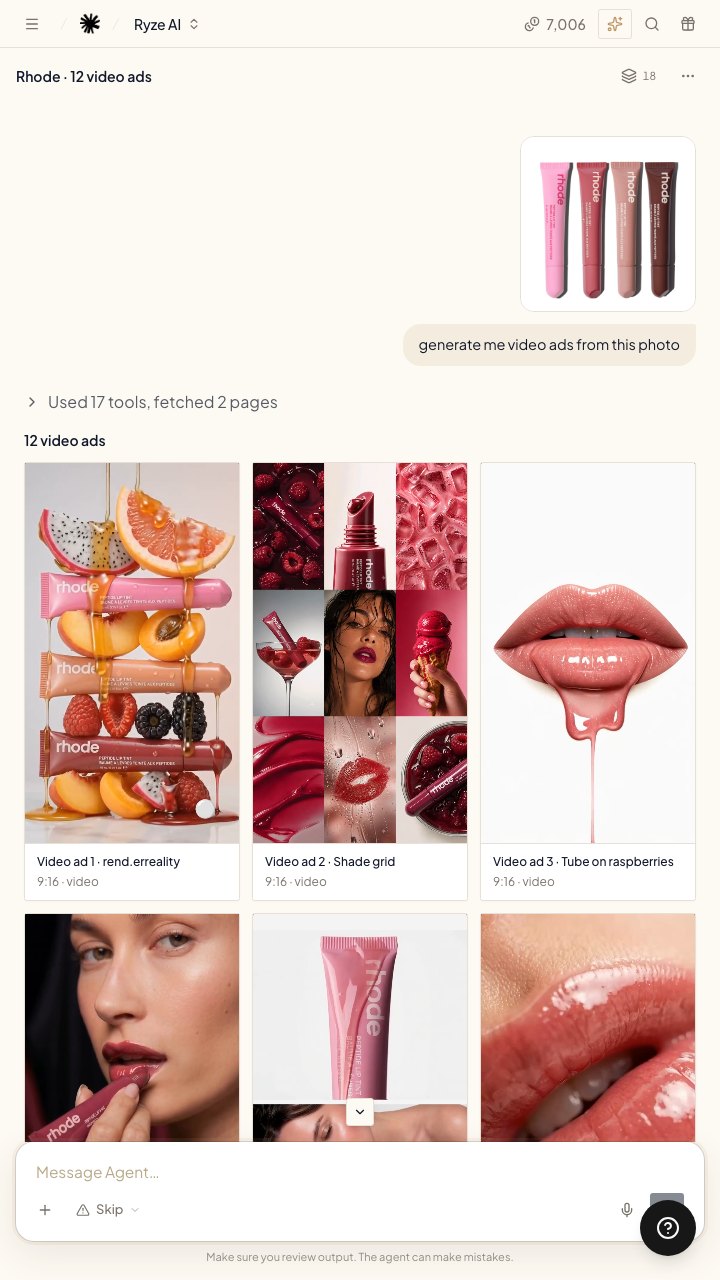
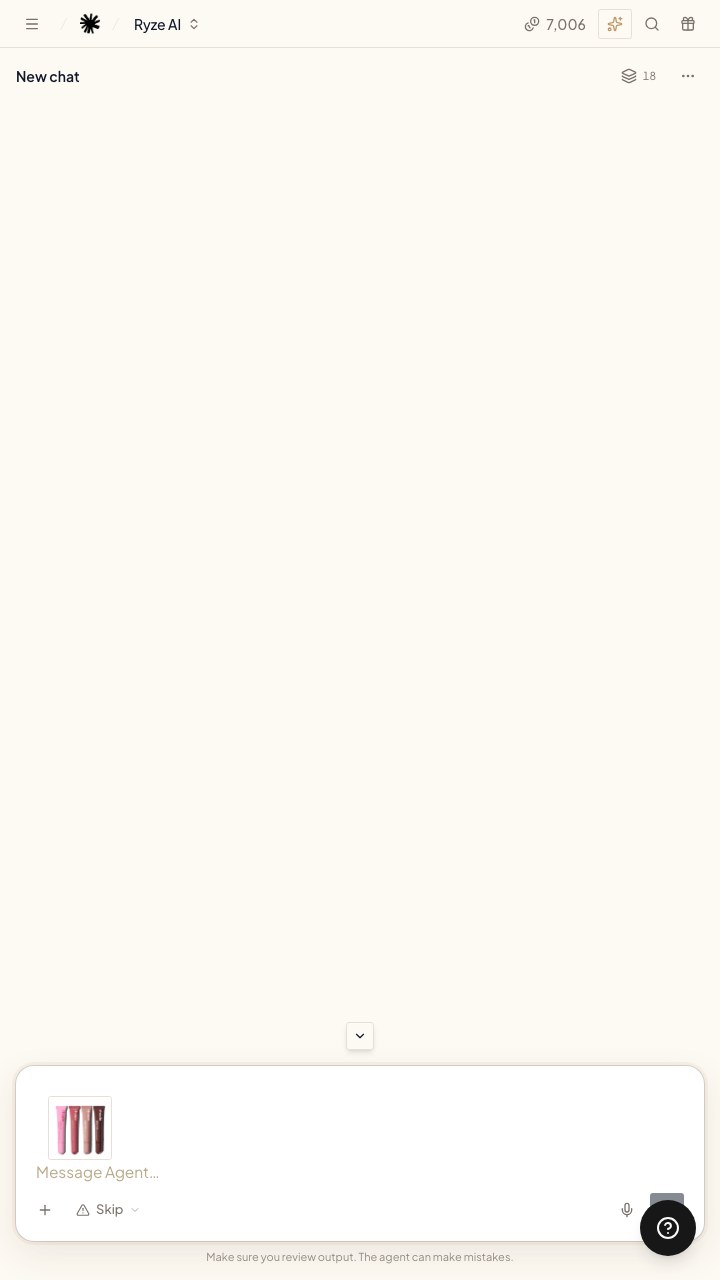
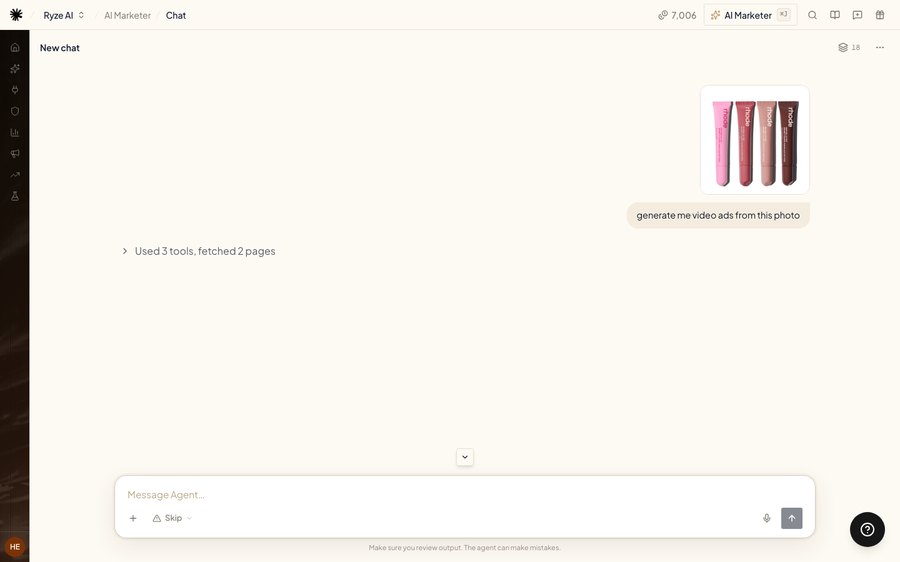
- Option AAll I have to do is drop in one photo…
- Option BLook, I give it one product photo and one line…
- Option CI drop in a single product photo and hit send…
On screenLaptop: the photo lands in the chat with the request.
-
Step 5 13–16.5s
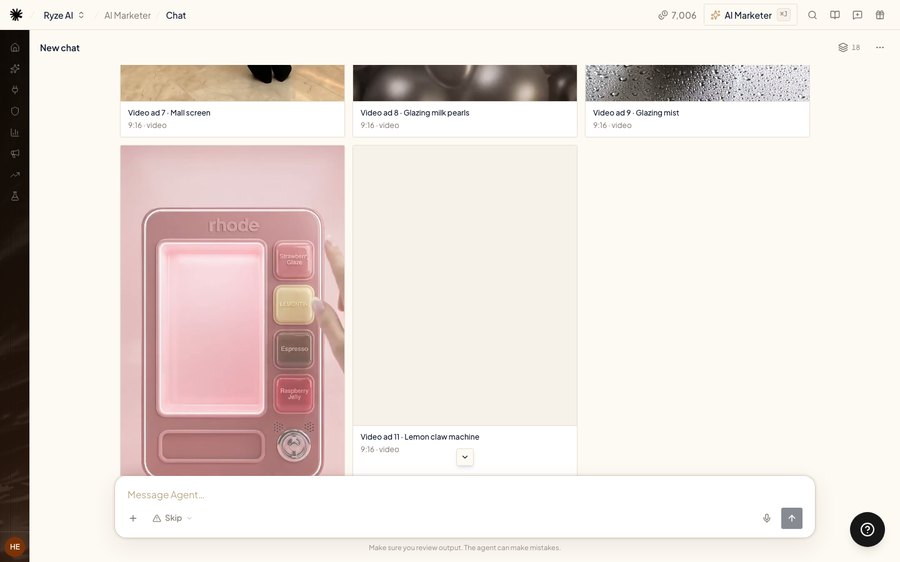
- Option A…and boom. Twelve video ads. That would've taken an agency weeks.
- Option B…and boom. Twelve video ads, all from one photo.
- Option C…and yeah, twelve video ads. No shoot, no editor, no agency.
On screenLaptop: the 12 video ads pop in.
-
Step 6 16.5–22.5s
- Option ANow the crazy part: it does a deep audit of your whole store with 200+ AI agents.
- Option BNow the crazy part: it reads your whole ad account and checks it against best practices from 2,000 agencies.
- Option CThen it audits your whole store, with hundreds of agents checking every campaign.
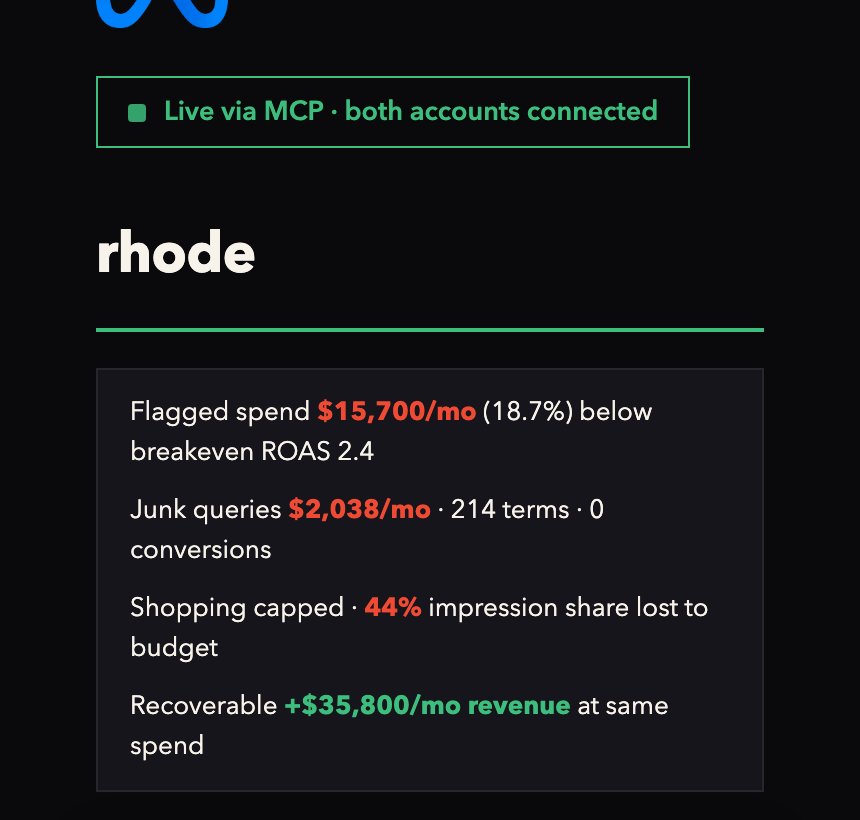
On screenPhone: the audit page. Start on the Claude, Google Ads and Meta Ads logos, then scroll down the summary.
-
Step 7 22.5–25s
- Option ABro, did your agency ever show you this?
- Option BThat's what agencies don't show you.
- Option CAnd your agency never mentioned it?
On screenYour face, new angle. Point back at the phone.
-
Step 8 25–30.5s
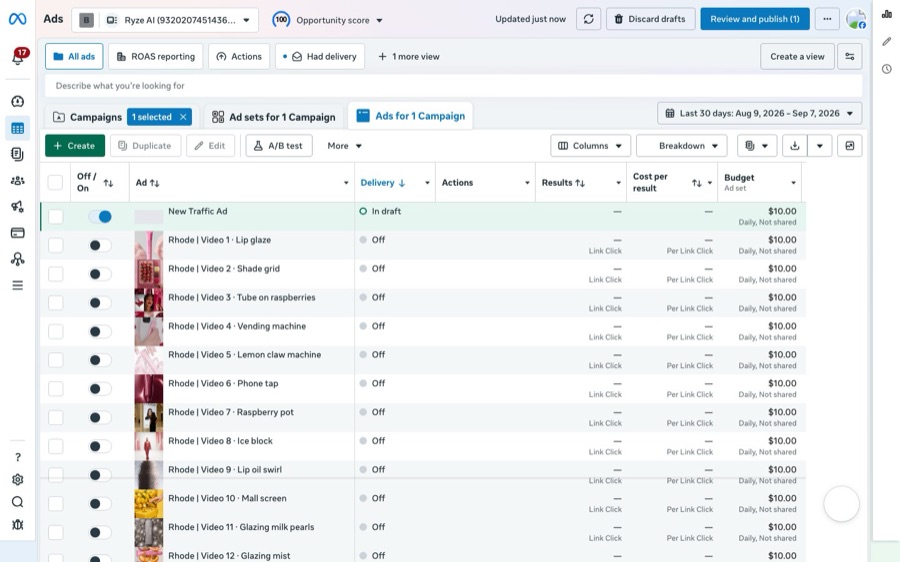
- Option AOne click, and the new ads land in Ads Manager, switched off. Nothing goes live until you publish.
- Option BThen it does this. They land in Ads Manager switched off, till you hit publish.
- Option CPush to Meta, and they show up in Ads Manager. Switched off, waiting for you to publish.
On screenLaptop: the ads are pushed as drafts, then every ad says Off. Point at 'Review and publish'.
-
Step 9 30.5–33.5s
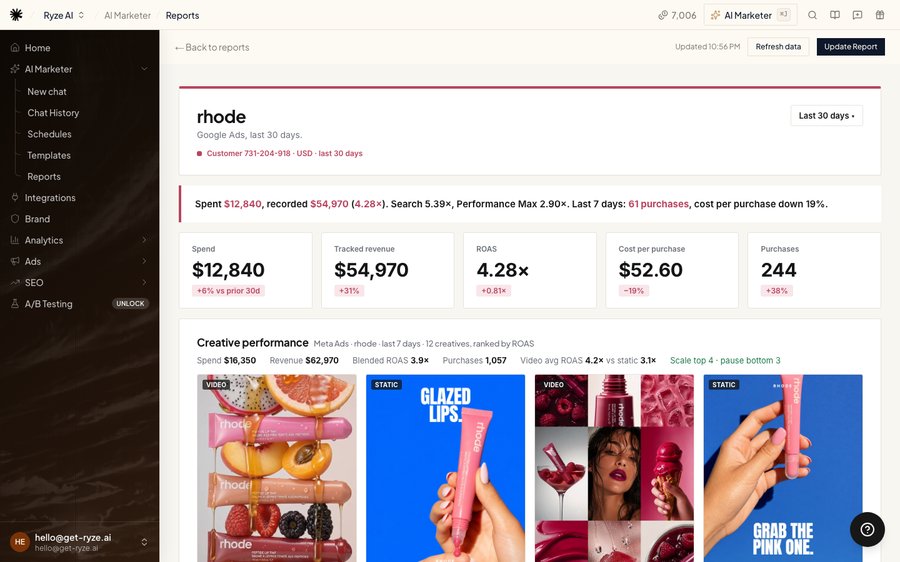
- Option AThen it writes the report agencies charge you for.
- Option BAnd just like that, it writes the whole monthly report.
- Option CAnd it even writes the monthly report for you.
On screenLaptop: the Ryze report opens. Scroll down slowly.
-
Step 10 33.5–42.5s
- Option AIf you're paying an agency right now, I'm calling you out. Ryze AI. You can try this tool for free and cancel if it doesn't work for you. Link below.
- Option BI promise you, everyone in ecom is gatekeeping this. Ryze AI. You can try this tool for free and cancel if it doesn't work for you. Link below.
- Option CAd agencies are actually cooked. Ryze AI. You can try this tool for free and cancel if it doesn't work for you. Link below.
On screenYour face, close, same spot as the start.
UGC filming guide
We all want videos that go viral and perform well, you just as much as us. That's why we put together a filming guide to help you get there.
Please make sure every video follows its rules.
Open the guideCheck your video before you send it
We built an AI tool that reviews every video against the guide. It helps us keep the quality high and lets us all move faster.
Every video goes through this tool first, before our team reviews it.
- Upload your video
- Get your score
- Then send it to us
Questions? Talk to Andrew
Andrew is your point of contact for anything about the programme, so feel free to reach out whenever you have a question.
- Emailandrew@ryze.ai
- Phone+44 7581 044269